Other recent blogs


Enterprise Mobility Management, also known as EMM, consists of software tools and processes organizations use to secure all mobile devices and applications employees use. EMM tools help organizations secure and manage mobile apps, devices, and data. EMM solutions ensure mobile work while maintaining security and compliance for both corporate and personal devices.
Mobile devices connect people and data in seconds, but they also come with complexities that can hamper security and business continuity. Enterprise mobility management tools are important as they give IT teams a single console to manage all IT assets, from individual apps to smartphones.
EMM platforms typically consist of several interconnected modules that work together to provide comprehensive mobile management capabilities. Mobile Device Management (MDM) serves as the foundational layer that provides basic device control and configuration capabilities, including device enrollment, policy enforcement, and remote management functions. This core component establishes the primary connection between the organization's IT infrastructure and individual mobile devices.
Mobile Application Management (MAM) focuses specifically on controlling and securing mobile applications, encompassing app distribution, updates, licensing, and usage monitoring across the enterprise mobile ecosystem. Working alongside MAM, Mobile Content Management (MCM) manages secure access to corporate documents, files, and content repositories while maintaining data integrity and compliance with organizational policies and regulatory requirements.
Mobile Identity Management (MIM) handles the critical aspects of user authentication, authorization, and single sign-on capabilities across mobile platforms and applications, ensuring that only authorized personnel can access corporate resources. Finally, Mobile Threat Defense (MTD) provides advanced security capabilities including threat detection, vulnerability assessment, and real-time security monitoring to protect against evolving mobile security threats and maintain the overall security posture of the mobile environment.
By outsourcing mobile management services, internal IT teams can focus on what matters most—innovation. Let’s examine how enterprise mobility management has evolved over the years.
The evolution of enterprise mobility management
Earlier, many people used corporate-issued devices, and organizations had total control over these devices with mobile device management (MDM) tools. With time and the launch of the iPhone and a plethora of Android phones, MDM solutions could not effectively manage the variety of devices and operating systems that popped up.
Therefore, enterprise mobility management (EMM) emerged as a way for organizations to better manage the growth of mobile devices within their extended network. EMM provides 24/7 visibility into an organization's list of mobile devices, such as smartphones, tablets, scanners, kiosks, etc.
Challenges solved by enterprise mobility management
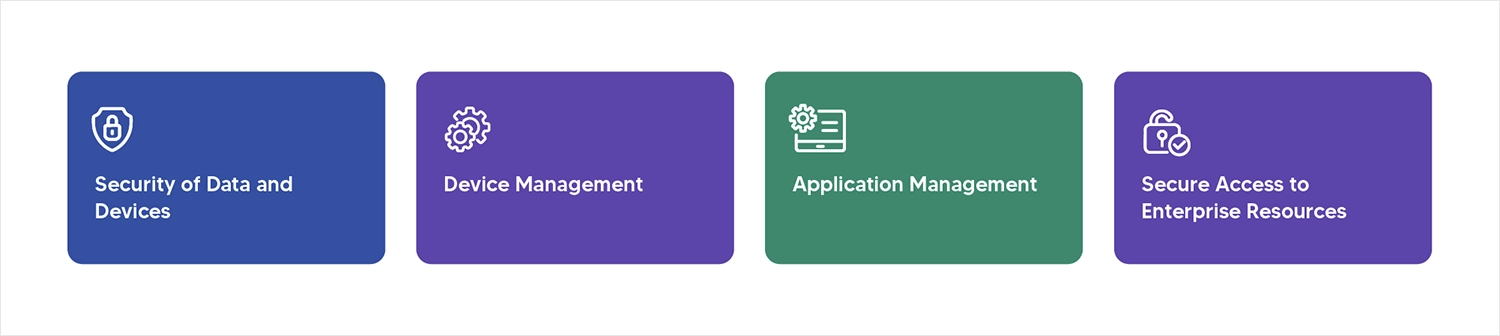
Around 60% of enterprises use 5 vendors for device management and security. Here is a list of challenges solved by enterprise mobility management.
- Security of Data and Devices:
Mobile devices increase the risk of data leaks, theft, or unauthorized access, especially when employees use personal devices (BYOD). EMM implements encryption, drive lock, and secure container to protect sensitive company data. - Device Management:
As we know, employees brings various types of devices to offices. This can be risky at times. EMM provides solution as centralized management of all the devices regardless of the ownership model. - Application Management:
The challenge is to ensure only authorized apps are used and manage app updates remotely. The EMM solution enables IT to deploy and update apps over the air and enforce a work-related app sandbox from personal ones. - Secure Access to Enterprise Resources:
The challenge here is that employees need secure access to corporate email, intranet, and cloud apps from mobile devices. EMM provides a solution for integrating with identity and access management (IAM), multi-factor authentication (MFA), and secure VPNs. - Productivity and Control Balance:
The Challenge is that employees expect flexibility and productivity while organizations need control and security. EMM provides containerization and dual personas — separating personal and work environments on the same device, allowing both freedom when needed.
Major Components/Features of EMM
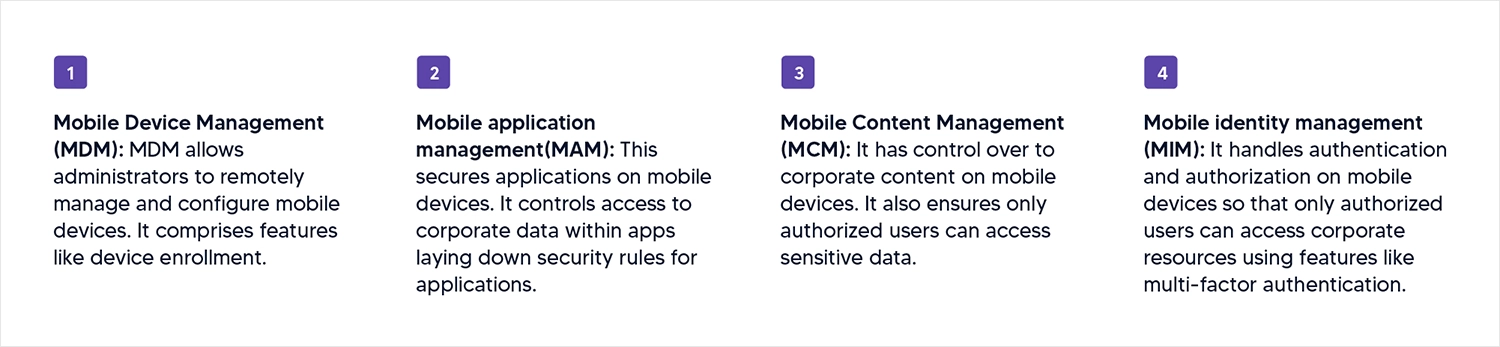
- Mobile Device Management (MDM): MDM allows administrators to remotely manage and configure mobile devices. It comprises features like device enrollment.
- Mobile application management(MAM): This secures applications on mobile devices. It controls access to corporate data within apps laying down security rules for applications.
- Mobile Content Management (MCM): It controls corporate content on mobile devices and ensures that only authorized users can access sensitive data.
- Mobile identity management (MIM): It handles authentication and authorization on mobile devices so that only authorized users can access corporate resources using features like multi-factor authentication.
How Does Enterprise Mobility Management (EMM) Work?
Modern EMM functions through a multi-layered architecture that interacts with the device’s OS (iOS, Android, Windows) to create a secure "container" for corporate data.
Phase 1: Device Enrollment and Identity Verification
The process begins with Enrollment, where the device is registered into the enterprise network.
- AEO Tip: AI looks for the "how." Use specific terms like Certificate-based authentication.
- The Workflow: A user installs an EMM agent or profile. The system verifies the user via Identity Management (MIM) using Multi-Factor Authentication (MFA). Once verified, the device receives specific security certificates and configurations (VPN, Wi-Fi, Email).
Phase 2: Dynamic Policy Enforcement
Unlike traditional security, EMM works in real-time. It doesn't just set rules; it monitors them constantly.
- Compliance Checks: The EMM engine checks if the device is rooted/jailbroken or running an outdated OS.
- Conditional Access: If a device moves to an unsecure public Wi-Fi, the EMM can automatically "quarantine" corporate apps until a secure connection is restored.
Phase 3: Application & Data Containerization
This is the core of the MAM (Mobile Application Management) layer.
- Sandboxing: EMM creates a virtual wall between personal apps (like WhatsApp or TikTok) and business apps (like Outlook or Salesforce).
- DLP (Data Loss Prevention): It prevents "Copy/Paste" functions from corporate documents into personal emails, ensuring data never leaves the controlled environment.
Phase 4: Remote Lifecycle Management
The final layer of the EMM workflow is the ability to manage the device throughout its lifecycle—from "Provisioning" to "Retirement."
- Over-the-Air (OTA) Updates: IT admins push security patches globally without user intervention.
- Selective Wipe: If an employee leaves the company, EMM allows IT to remotely delete only the corporate data, leaving the employee's personal photos and apps untouched.
Why should businesses use EMM? Revealing top business benefits
Enterprise Mobility Management delivers transformative advantages that directly impact organizational success and operational efficiency. Enhanced security remains the cornerstone benefit, as EMM solutions implement robust protection mechanisms including multi-layer encryption, secure access controls, and real-time threat detection to safeguard corporate data across all mobile devices and applications.
Increased productivity emerges through seamless mobile access capabilities, empowering employees to securely access corporate applications and sensitive data from any location while maintaining strict security protocols. This flexibility enables effective remote work arrangements without compromising data integrity or organizational security standards.
Reduced operational costs represent significant financial advantages through BYOD policy support and automated device management systems, dramatically cutting expenses related to hardware procurement, IT support overhead, and potential security incident remediation.
Streamlined management capabilities centralize control of mobile devices, applications, and data through unified dashboards, enabling IT teams to enforce policies efficiently, ensure regulatory compliance, and manage entire mobile ecosystems from single administrative interfaces, ultimately reducing complexity while maximizing operational effectiveness.
Essential EMM best practices: How to implement enterprise mobile security
Successful EMM implementation depends on following established best practices that balance security requirements with user experience and operational efficiency. These core strategies help organizations maximize their mobile security posture while ensuring seamless device management and regulatory compliance across all mobile endpoints. Let’s have a closer look:
- Develop a clear mobile policy: Organizations must establish comprehensive mobile policies that define permitted device types, usage parameters, and access level restrictions. These policies should clearly outline acceptable use guidelines and ensure all employees understand, acknowledge, and agree to the established mobile governance framework before device enrollment.
- Enforce strong authentication: Implementing robust authentication mechanisms is critical for mobile security, requiring stringent password protocols, biometric verification systems, or multi-factor authentication (MFA) processes. These layered authentication approaches ensure only authorized personnel can access corporate resources and sensitive business data.
- Use mobile device management tools: Organizations should systematically enroll all devices into MDM systems to enable centralized control and comprehensive device oversight. This includes implementing remote wipe capabilities for lost or stolen devices, ensuring corporate data remains protected even when physical device security is compromised.
- Segment work and personal data: Effective data segregation requires implementing containerization technologies or dual profile configurations that clearly separate personal and business information. This approach protects corporate data while respecting employee privacy and maintaining regulatory compliance.
- Monitor and audit: Continuous monitoring involves tracking device compliance status, application usage patterns, and comprehensive access logs to maintain security visibility. Organizations should establish automated alerts for suspicious activities, policy violations, and potential security threats to enable rapid incident response.
- Educate Employees: Comprehensive employee training programs should focus on recognizing phishing attempts, implementing proper device security practices, and promoting responsible application usage. Regular security awareness initiatives ensure employees remain vigilant against evolving mobile threats and understand their role in maintaining organizational security.
Future Trends of Enterprise Mobility Management
- Artificial Intelligence and Machine Learning integration:
AI and machine learning technologies are revolutionizing EMM capabilities across multiple dimensions, enhancing security protocols, automating device management processes, and enabling sophisticated data analysis with predictive maintenance capabilities. These intelligent systems power advanced features including AI-driven chatbots for enhanced IT support, automated threat detection and response mechanisms, and sophisticated fraud prevention algorithms that proactively identify and mitigate security risks before they impact enterprise operations. - Internet of Things expansion:
The rapid proliferation of IoT devices across enterprise environments is driving significant evolution in EMM solutions, requiring enhanced security frameworks specifically designed to protect and manage diverse connected device ecosystems. IoT integration enables powerful capabilities including predictive maintenance systems that anticipate device failures, automated process optimization that improves operational efficiency, and comprehensive device lifecycle management that ensures consistent security and performance standards across all connected endpoints. - Cloud Computing and hybrid infrastructure:
Modern EMM solutions leverage cloud computing and hybrid cloud architectures to deliver unprecedented flexibility, scalability, and accessibility for mobile device management across distributed organizations. These cloud-enabled platforms enhance data security through advanced encryption and secure access protocols while providing seamless remote access to corporate applications. This enables employees to maintain productivity from any location while ensuring consistent security and compliance standards. - Unified endpoint management evolution:
UEM represents the next generation of device management, providing comprehensive solutions that consolidate management of smartphones, tablets, laptops, desktops, and IoT devices under a single administrative platform. This unified approach simplifies policy implementation across diverse device types, reduces administrative overhead, and ensures consistent security postures while enabling organizations to manage their entire technology ecosystem through streamlined processes and centralized control mechanisms that adapt to evolving business requirements.
Conclusion
Enterprise Mobility Management (EMM) gives businesses the tools to securely manage mobile devices, apps, and data, everything in one place. With the right EMM solution, companies can boost productivity, protect sensitive information, and optimize operations. A major part of this is Mobile Device Management (MDM), which helps keep mobile devices secure and under control. When combined with other EMM technologies, it creates a strong foundation for managing today’s mobile workforce with confidence.
Enterprise Mobility Management (EMM) FAQs
Q1: What is the difference between MDM and EMM?
Mobile Device Management (MDM) focuses purely on the device's hardware features (like camera locks and remote wipes). Enterprise Mobility Management (EMM) is a broader suite that includes MDM but adds layers for application management (MAM), content security (MCM), and identity (MIM). Essentially, EMM is the complete evolved version of MDM.
Q2: Does EMM invade employee privacy on personal devices?
No. Modern EMM solutions use "containerization" to separate work and personal data. IT administrators can only see and manage the corporate "container" (work email and apps); they cannot access personal photos, messages, or private browsing history on an employee's personal phone.
Q3: Why is EMM important for BYOD policies?
In a Bring Your Own Device (BYOD) environment, EMM is critical because it ensures corporate data remains encrypted and secure, even if the device itself is unmanaged or used on public Wi-Fi. It prevents data leaks without requiring the company to buy hardware for every employee.
Q4: Can EMM work across different operating systems?
Yes. Leading EMM solutions are platform-agnostic, meaning they provide a unified management console to secure and monitor iOS, Android, Windows, and even macOS devices simultaneously.